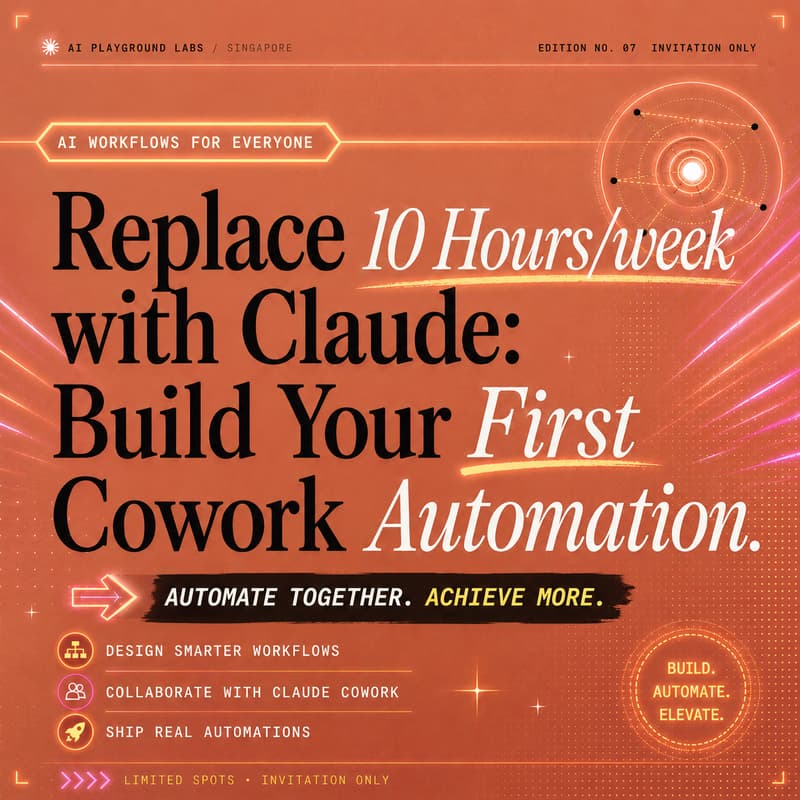
Replace 10 Hours/week with Claude CoWork- Beginner-Friendly (Hands-On)
Build Your First Claude Cowork Automation (for Non-Technical)
Leave with a real AI automation running on your work, not a demo, not a tutorial. Something that's actually saving you time by Monday.
🌟 Why This Lab Exists
AI started with chat. The next wave is Claude Cowork, new system built for non-technical knowledge workers.
Claude doesn't just answer questions. It reads your files, works across your apps, and completes multi-step work end-to-end, from start to finished deliverable.
AI needs to be built around the outcome, not the prompt.
Most people will open Cowork, type a vague request, and give up.
They stay in learning mode, watching, reading, saving demos.
Not building.
The gap isn't knowledge.
It's starting properly.
This lab is designed to help you move from observing → doing on a real task in your own work.
💎 Your Experience
In this is a half-day guided group lab, you will:
✅ Understand Cowork
• See Cowork complete a real task end-to-end
• Understand what Cowork is good at (and what it isn't)
• Learn how it differs from Chat, Claude Code, and tools like ChatGPT
✅ Set Up Your Workspace
• Get Cowork running on your machine
• Connect the tools you actually use (Drive, Gmail, Calendar, Slack, and more)
• Walk through the security and permissions model
✅ Build Your First Automation
• Bring a real task from your work
• Step-by-step guided build (non-technical friendly)
• Get it running end-to-end before you leave
✅ Extend & Apply
• Put it on a schedule & adapt to other parts of your work
✅ Onsite Support
• Facilitated guidance throughout
• Post-session feedback check-in
By the End of the Session
You'll have:
• a working Cowork automation running on a real task from your work • a clear mental model of what Cowork can and can't do • adapt to other parts of your work • the confidence to keep building on your own
🤝🏻 Format
Small, private group lab.
To keep this hands-on and focused, limited to a small group of participants.
Everyone will: • work on their own laptop (Mac or Windows) • set up Cowork on their own machine • build and run their own automation on their own task
Who This Is For
Designed for non-technical operators and builders ready to use AI for real work.
Ideal for:
• operators and founders drowning in repetitive admin
• product managers, ops, and marketing leads who want AI doing real work
• professionals and strategists who need to deliver more without hiring
• business leaders who want to actually understand what their team should be using
• AI-curious professionals ready to go beyond ChatGPT
No coding required.
🔥 Why a Group Lab?
Unlike a recorded course or a 1:1 setup, this session is designed for:
• learning through shared exploration
• seeing how other operators are applying Cowork
• developing a reusable mental model
You're not just setting up one automation, you're learning how to think in automations.
What This Is (and isn't)
This is not a recorded course. This is not a done-for-you setup.
👉 Instead, you will:
• understand what Cowork actually does
• build your first automation yourself, on a real task
• learn how to keep building beyond the session
What You'll Walk Away With
🌟 A working Cowork automation running on your actual work
🌟 A clear mental model of what Cowork can and can't do
🌟 The confidence to continue building on your own
🌟 Exposure to how other operators are applying Cowork
Our Lab Flow
1. Welcome & Context Quick introductions and overview of what we'll build together.
2. See Cowork in Action A live demo on a real task so you understand the end goal before building.
3. What Cowork Actually Is (and Isn't) The real differences between Chat, Claude Code, and Cowork, why Cowork is the one that matters for business users.
4. Pick Your Task Guided exercise to choose the right starting task for your work.
5. Guided Setup Get Cowork running on your machine, connect your tools, walk through security.
6. Build Your First Automation follow step-by-step to get a chosen task running end-to-end.
7. Extend & Apply Add a second automation, put it on a schedule, see what others in the room are building.
Hosted By
AI Playground Labs → hands-on experimentation labs exploring how AI systems are applied in real businesses. Including Claude, Agents and Cowork.
https://www.aiplaygroundlabs.comv
FAQ
Do I need technical experience?
No. Cowork is built specifically for non-technical users. If you can navigate Google Drive, you can do this lab.
Will I leave with something working?
Yes — this the main point. You'll bring a real task, set it up with Cowork, and leave with it running. The trainer is in the room to help guide you.
What do I need to prepare?
You'll need:
• your laptop (Mac or Windows) • a Claude paid plan (Pro, Max, Team, or Enterprise): Cowork is included on all paid plans, ~$20 USD/month, cancellable anytime • one real task from your work that you want to automate
What if my task doesn't suit Cowork?
We'll help you pick a better one in the first part of the session. Some tasks suit Cowork beautifully, others don't, we'll show you the difference.
Is there a minimum number of participants?
Yes, sessions will proceed with a minimum of 3-5 participants.
If the minimum is not met, you'll be offered a reschedule to another date or a full refund.
What if I want a fully customised setup for my company afterwards?
This lab focuses on getting you started and building your first automation.
If you're looking for a custom build for your team, 1:1 implementation sessions are available, we'll cover this at the end.
Can't make it?
No worries — you have options:
• 🎟 Transfer your pass to someone else
• 7+ days before: Full refund
• 2–7 days before: 50% refund
• <24 hours / No-show: Non-refundable
Just let us know in advance!
Further Questions?
We're happy to hear from you — just reach out to us:
Amanda — [email protected]
✅ Ready to Build Your First Automation?
If you've been:
• reading about Cowork • watching AI demos • thinking "I get it… but how do I actually start?"
This is your starting point.
Not theory. Not another talk.
🙌🏽 A structured, hands-on way to actually begin — and walk out with proof it works.
💰 Pricing
Early — $195 USD (limited time only)
Regular — $279 USD
Last Call — $299 USD (final 72 hours)
Small group, intentionally limited to up to 20 participants.
WHAT'S INCLUDED
Guided Cowork configuration on your device
Tool Connections: Google Drive, Gmail, Calendar, Slack, and more
Use Case Discovery: pick the right starting task for your work
Live Build: Your first automation running by end of session
Security & Permissions Walkthrough, know what's exposed, what's not, and why
Confidence to adapt to other parts of your work
Post-Session Feedback & keep the momentum going