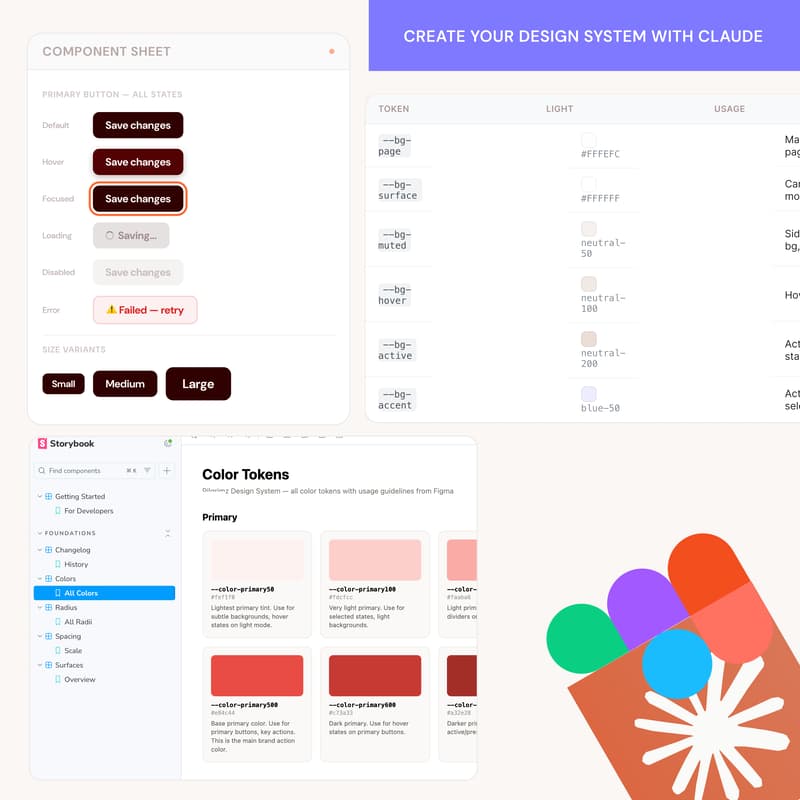
Building an AI-readable design system from scratch with Claude
Workshop Overview
Build an AI-Readable Design System from Scratch
A hands-on, 45-minute workshop where designers build a real design system using Claude and MCP, working with an actual product (Knowunity) alongside their product designer.
This isn't a lecture. You'll walk away with a working design system scaffold you built yourself during the session.
What You'll Learn
By the end of this workshop, you'll know how to:
Set up Claude with MCP to talk directly to Figma and your codebase. Structure a design system so AI can actually understand and use it (not just something that looks nice in a Figma file).
Go from style tile and product context to real tokens, components, and a Storybook setup. Move design decisions from Figma into code using a token pipeline. Understand what makes a design system "AI-readable" vs a traditional one.
The Product: Knowunity
We're running this workshop around a real product. Knowunity is a study app used by millions of students across Europe and beyond. Their product designer will be joining the session to give context on the product and the design challenges they face.
You'll get starter files before the workshop so everyone can hit the ground running together. That way we're not spending 20 minutes just getting oriented. We're all looking at the same product, same personas, same visual direction.
What You'll Get Beforehand
The workshop will include a starter kit that includes:
A product brief for Knowunity (what it does, who it's for, the key user personas). A style tile / inspo board to feed to Claude as a visual starting point. Project setup instructions so your environment is ready to go. Pre-configured markdown files that give Claude the context it needs about the product.
This means when we start the workshop, you can jump straight into building instead of setting up.
Prerequisites
This workshop is not for total beginners with AI tooling. You should come in with:
Claude familiarity. You've used Claude before and understand how prompting works. You don't need to be an expert, but you shouldn't be opening it for the first time during the workshop.
MCP set up and working. You need a Figma MCP server connected and running before the session.
Find instructions below to setup ahead of time:
https://yummy-design-sprint.notion.site/Figma-Claude-Console-MCP-Setup-Guide-3726279147098088a098e84feec0fde9?pvs=73
A Figma account. You'll be working in Figma during the session.
Workshop Flow (45 min)
Intro and context
Quick intro from the Yummy Labs team and Knowunity's product designer. What we're building, why it matters, and how the session will work.
Feeding Claude the product context
We'll walk through how to set up your project space to give Claude the right context: the product brief, personas, and style tile. This is where most people get it wrong, so we'll show you what "good context" looks like.
Hands-on: Building the design system
This is the core of the workshop. You'll work alongside us to:
Ideate & generate foundational design tokens through variables & styles (colors, typography, spacing, layout, grid, etc) from the style tile with Claude.
Create foundational components using Claude and MCP. Push tokens and components into a structured format that works for both design and code. See how the same tokens flow from Figma into Storybook.
From Figma to code
We'll show the bridge: how the design system you just built in Figma translates into a token pipeline, component library, and Storybook documentation. This is where it clicks for most people.
Q&A
Open floor for questions. If we run tight on time, we'll keep this in the Discord channel after the session.
Pre-Workshop Setup Checklist
Claude account (Pro recommended)
Figma account with desktop app installed
MCP server for Figma connected and working:
https://yummy-design-sprint.notion.site/Figma-Claude-Console-MCP-Setup-Guide-3726279147098088a098e84feec0fde9?pvs=73Join the Yummy Labs Discord for pre-workshop support: Join Discord Server