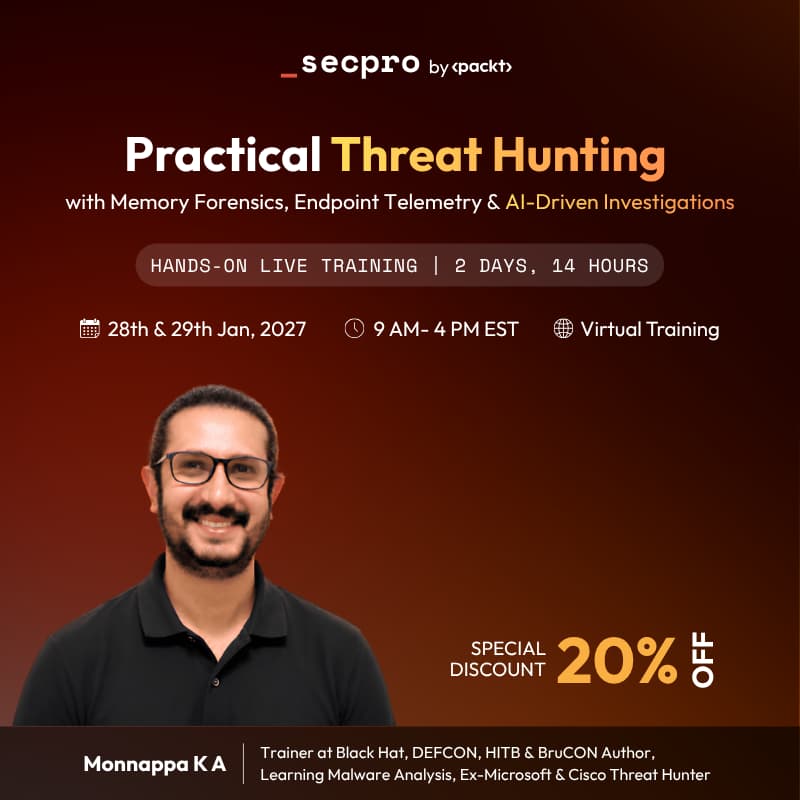

Practical Threat Hunting with Memory Forensics, Endpoint Telemetry & AI-Driven Investigations
When:
Thursday 28 and Friday 29 January 2027
Time:
9:00 AM to 4:00 PM EST each day
Duration: 2 days, 7 hours per day (14 hours total)
Design, investigate, and hunt like a practitioner, using memory forensics, endpoint telemetry, and AI-augmented detection to uncover threats that signature-based tools miss.
Modern attackers evade EDR, bypass signatures, and live off the land inside legitimate processes. Static detection rules catch what's already known. Finding what isn't takes a hunter who can read memory, correlate endpoint telemetry, and reconstruct an attacker's actions from the artifacts they leave behind.
That's where memory forensics and AI-augmented threat hunting come in.
In this intensive 2-day live training, you'll learn how to investigate live systems and memory dumps the way working incident responders and threat hunters do, using Volatility for memory analysis, Sysmon for endpoint telemetry, and Garuda as an AI-integrated hunting framework that structures investigation output for LLM-driven analysis, automated ATT&CK mapping, and faster triage.
Rather than isolated tool tutorials or checklist-style IOC hunting, this training teaches the investigative methodology behind Learning Malware Analysis, Monnappa K A's practitioner guide, in a focused, hands-on virtual format. You'll learn how to move from raw memory and telemetry to a defensible hunting conclusion, using a repeatable process that holds up under scrutiny.
Through guided investigation, live analysis walkthroughs, and hands-on labs, you'll build the skills to:
Analyze memory dumps to recover processes, network connections, injected code, and attacker artifacts
Investigate Sysmon and endpoint telemetry to reconstruct multi-stage attack chains
Use Garuda to structure hunting output for AI-assisted analysis and automated MITRE ATT&CK mapping
Distinguish genuine malicious behavior from noise, without relying on signatures
Apply memory forensics techniques used in real incident response engagements
Build an AI-augmented hunting workflow that speeds up triage without sacrificing rigor
You'll also learn how experienced hunters validate their own findings, cross-referencing memory artifacts against telemetry, testing alternative explanations, and building a chain of evidence that would hold up in an incident report, not just a hunch that looks right.
Across the two days, you'll work through guided investigation labs before applying everything to a hands-on capstone: hunting a realistic, multi-stage attack chain you haven't seen before, using your own memory forensics and AI-hunting workflow. On completion, you'll receive a certificate of training completion.
Whether you're a SOC analyst, detection engineer, incident responder, or threat hunter looking to move beyond alert triage into genuine investigation, you'll leave with practical, field-tested skills you can apply the next time something doesn't look right on the wire.
Why Attend?
Learn memory forensics and threat hunting from a practitioner who teaches at DEF CON, HITB, and Black Hat MEA
Go beyond IOC checklists into real investigative methodology: memory analysis, telemetry correlation, attacker reconstruction
Work hands-on with Volatility, Sysmon, and Garuda, the same tools used in live incident response
Learn how AI-augmented hunting fits into a rigorous investigation, without replacing the judgment a real hunter needs
Build a repeatable hunting workflow you can bring back to your own SOC or IR team
Hunt a realistic, multi-stage attack chain as your capstone, and leave with a workflow you built yourself, not just a demo you watched
Earn a certificate of training completion to show for the two days
If you're looking to move beyond alert-driven detection and learn how experienced hunters actually investigate, this bootcamp gives you the methodology, hands-on practice, and AI-augmented workflow to hunt with confidence in your own environment.
What You Should Bring
• A laptop with at least 8 GB of RAM and 60 GB of free disk space.
• VMware Workstation or VMware Fusion installed on the laptop
• A 64-bit Windows 11 or Windows 10 installed inside VMware Workstation or VMware Fusion.
Important Notes:
• You must have full administrator access to the Windows virtual machine.
• VMware Player and VirtualBox are not suitable for this training.
• Apple systems using M1 or other Apple Silicon processors are not suitable because they do not support the virtualization setup required for the course.