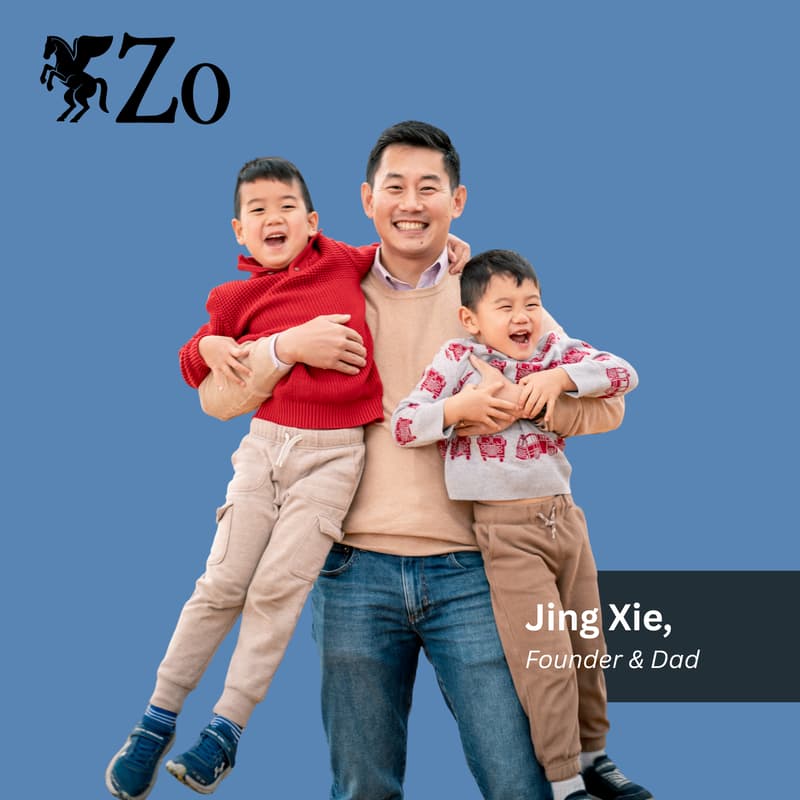

Invest like a Professional with AI (ft Jing Xie)
REMINDER:
Make sure you have a laptop. We do not recommend joining by phone. Also, please install Clarion and Zo
Step by step guide below. Here's also a video guide. Start watching at 1 minute if you have Zo already.
Step 1: install Zo (desktop or web browser version work fine)
Step 2: select gpt mini 5.4 as your model
Step 3: copy and paste this message into your Zo chat and hit enter: "Install the clarion-setup skill and set up Clarion."
Step 4: Zo will prompt you to create the ZO_API_KEY secret in Zo Settings. Follow these steps:
Open Zo Settings (top-right menu icon → Settings).
Go to Advanced → Access Tokens. Click Create token. Name it anything (clarion-sec-indexer is a good default). Copy the token value — it starts with zo_sk_.
Right above it you will see ‘Secrets”. Click Create secret.
Name the secret: type exactly ZO_API_KEY (uppercase, with the underscore — the indexer looks up this exact name; lowercase or hyphens won't work).
Value: paste the token from step 2.
Save.
Step 5: type ‘done’ into your zo chat and hit enter. You are done!
If you have any issues installing the system, please join whatsapp or discord and we’ll be there to help you!
///
Join us for a live build session with Jing Xie, a former COO and research principal at a well known long/short research and investment firm, as he walks through how he replaced a multi-million-dollar investment research team with a stack of AI agents running on Zo Computer.
In this session, you'll see how AI agents with the right tools can do 90% of what an institutional research desk does, and draft trading ideas as good or better than the $100/month newsletter recycling last week's headlines as "high-conviction calls."
Watch as Jing shows how he builds, maintains, and runs all his AI-native investment tools and strategies including: pulling 10-Ks, running technical analysis, backtesting strategies, and orchestrating it all through AI agents and automations on Zo.
No DevOps. No IT. No analysts. No wealth management or fund fees.
Walk away with a blueprint for building your own AI-native investment stack, plus an invitation to his free AI-for-investment-management course.
About Jing Xie:
Jing Xie spent most of his career in technology — most recently on AI infrastructure, context, and agentic memory at MemVerge. The rest was operational: COO and research principal at a well-known long/short equities research firm.
In late 2025 those two threads collided. The agents and tools he was building could already do roughly 90% of the investment research and technical analysis he used to do by hand. The only honest way to prove the vision was to run the system himself.
Clarion Intelligence Systems is the result — an AI-native, one-person multi-strategy, multi-asset book, and the same infrastructure he advises investment firms and operators to build internally.
About Zo Computer:
Zo Computer is a personal computer in the cloud that can be controlled by both you and your AI. Create and automate anything with AI. You'll receive a cloud workspace and personal server designed for human-AI collaboration. Craft workflows and projects in one place. Own everything you make.