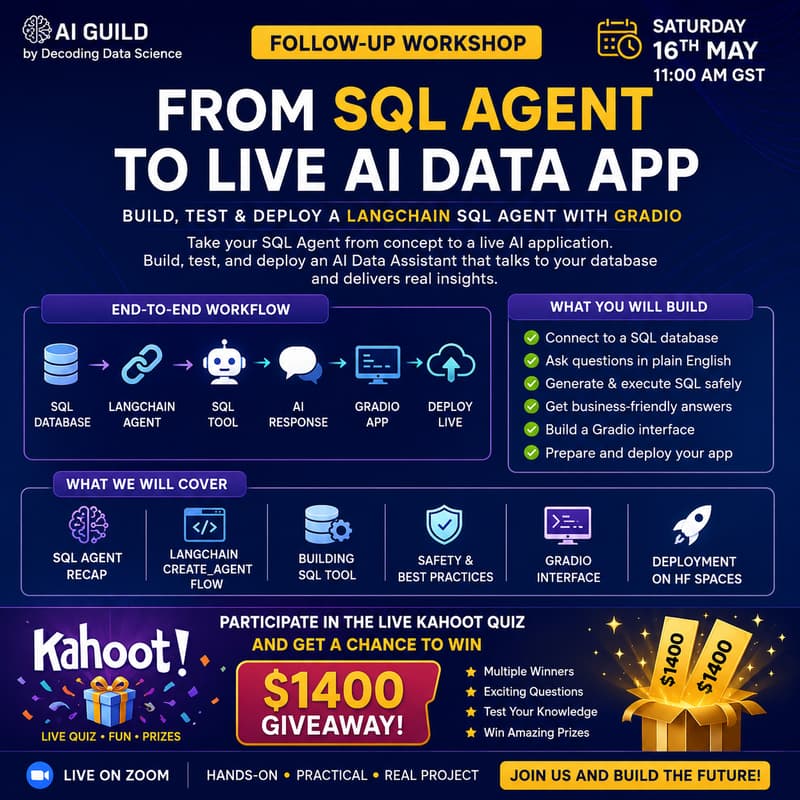

Build, Test & Deploy a LangChain SQL Agent with Gradio
In our previous session, we introduced how SQL Agents work and how AI can interact with structured databases using LangChain.
This Saturday, we are going one level deeper.
In this hands-on follow-up workshop, we will take the SQL Agent from concept to a working AI data application. You will learn how to connect an AI agent to a SQL database, ask questions in plain English, generate and execute SQL queries safely, and return useful business insights.
We will also move beyond the notebook by building a simple Gradio interface and discussing how to prepare the application for deployment on Hugging Face Spaces.
This session is designed for AI builders, data professionals, developers, students, and founders who want to understand how SQL Agents can become practical business applications for reporting, analytics, internal tools, and AI-powered data assistants.
What We Will Cover
Quick recap of how SQL Agents work
LangChain
create_agentworkflowBuilding a SQL execution tool
Connecting the agent to a SQL database
Asking database questions in natural language
Generating and executing SQL safely
Building a Gradio interface
Preparing the app for deployment
Best practices for safety, testing, and practical use
Key Takeaways
By the end of this workshop, participants will understand how to:
Build a working SQL Agent using LangChain
Connect an AI agent to structured database data
Convert natural-language questions into SQL queries
Add safety controls for SQL execution
Create a simple AI data assistant interface using Gradio
Prepare an AI app for deployment on Hugging Face Spaces
Think about real-world use cases for AI-powered analytics assistants
Prize and Engagement
We will also have a live Kahoot quiz during the session.
Participants will get a chance to test their knowledge, engage with the community, and win from a $1400 giveaway prize pool.