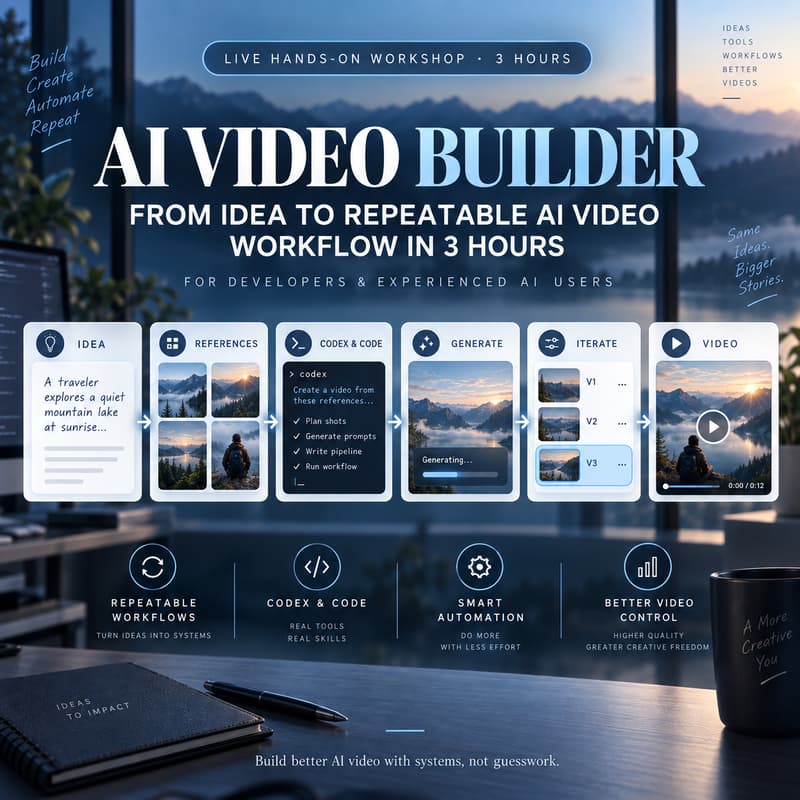

AI Video Builder: From Idea to Repeatable AI Video Production Workflow in 3 Hours
The goal:
By the end of the session, you should have built your own short AI video and a master practical AI code-assisted workflow you can reuse for future projects.
You’ll work through the process step by step:
Idea → Shot Plan → References → Generation Workflow → Generate → Diagnose → Iterate → Assemble
AI video production introduces a different set of problems than normal software or AI development.
It’s not only about calling a model.
It’s knowing:
how to turn an idea into a structured set of shots
how to create and manage reference frames
how to choose the right generation model for each shot
when to use UI tools and when code is more efficient
how to organize prompts, assets, settings and outputs
how to automate repetitive generation steps
how to tune based on failed generations to reduce # of iterations
This is a 3-hour live hands-on workshop designed for developers and experienced AI users who are new to AI video production and want to build a more systematic, repeatable workflow.
Who is this for?
This workshop is a good fit if:
you are comfortable with Claude, Codex, or other AI development tools
you already build software or AI workflows but are new to AI video
you want to be able build qualitative video without spending days to try different services
you want to reduce cost of video generations
you are interested in APIs, automation and repeatable production workflows
Vide coding experience is recommended.
This is not a beginner coding workshop. The focus is practical AI video production using Codex or Claude as part of the workflow.
What you’ll learn
1. Design an AI video as a production workflow
Turn an idea into clear shots, references and generation tasks instead of treating the whole video as one prompt.
2. Build and manage reference assets
Structure first/last frames, prompts, settings and outputs so they can be reused and iterated efficiently.
3. Choose between UI, API and code
Learn when a visual tool is faster and when code gives you better control, lower cost and repeatability.
4. Build generation workflows with Codex or Claude
Use AI coding tools to prepare generation requests, call APIs, organize assets and reduce repetitive manual work.
5. Diagnose failed generations
Identify whether the problem comes from the prompt, reference, model, shot complexity, motion or generation settings — and change the right thing.
6. Automate repetitive production steps
Create a more efficient workflow for repeated generations, asset organization and iteration.
7. Assemble the final video
Bring generated shots together into one coherent short video and understand where automation can help with finishing.
What participants should bring
a laptop
access to Codex, Claude or your preferred AI enabled coding environment
one simple idea for a 10–30 second video
willingness to experiment with different models and workflows
You do not need to prepare scripts, prompts or reference images in advance.
Note
AI video generation is probabilistic. Even a well-designed workflow will sometimes produce failed generations. Part of the workshop is learning how to diagnose the problem, change the right variable, and make the iteration process faster and more systematic.
What participants leave with
You’ll leave with:
new hands-on AI video production skills
your own short AI-video project
a repeatable Codex/Claude-assisted production workflow
example scripts and workflow patterns
reusable prompt and reference structures
a practical model/tool selection framework
a more organized way to manage assets and outputs
access to the workshop resource page