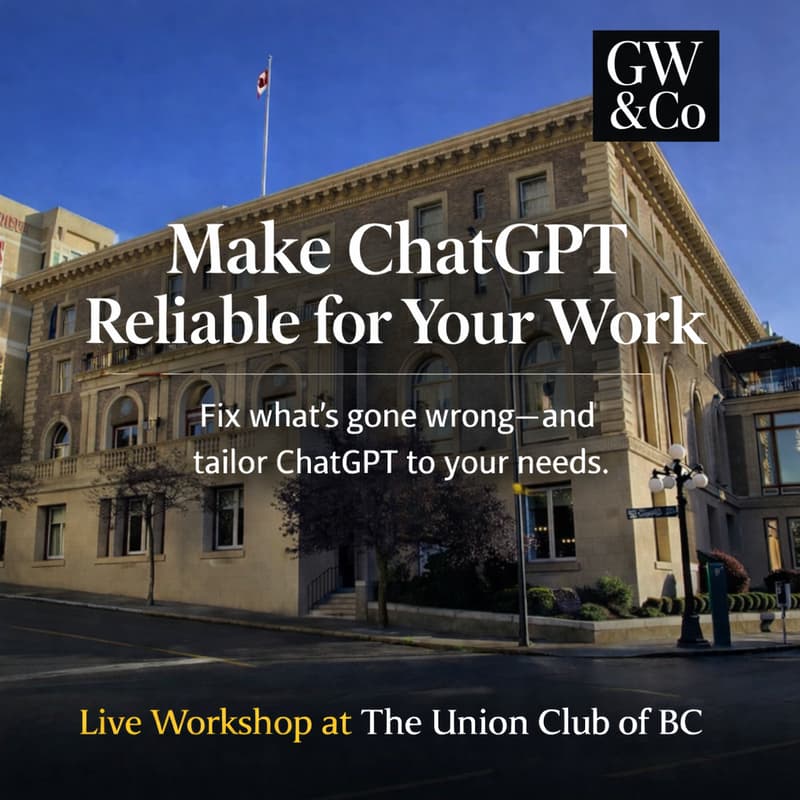

Make ChatGPT reliable for your work — fewer rewrites, less drift, more trust.
TL;DR: This is a hands-on setup workshop that makes ChatGPT reliable for real work.
You’ll leave with:
• Personalisation set up properly (so outputs match your tone and standards)
• A simple way to keep context clean so chats don’t drift
• Repeatable structures for emails, planning, and notes → drafts
• A tailored workflow demo in your follow-up call
• At least 3 general-purpose GPT tools I use in my own client work — built and refined over 10+ hours each, and adaptable to your needs
Workshop = a reliable baseline.
Follow-up = your workflow built on top.
Small group (max 8) so you get real hands-on support — not a webinar. Plus a 30-minute pre-call and a 60-minute post-call. Together, these ensure ChatGPT consistently reflects your goals, tone, and standards.
You don’t need more AI tricks. You need a setup that makes the tool stop guessing — so you can move faster without rewriting everything.
If you’ve tried ChatGPT and found the results inconsistent, you’re not alone. Among capable, busy professionals and small teams, this is common. The issue isn’t effort — it’s that the system isn’t set up yet.
What this is (and isn’t)
This is not a lunch-and-learn, a lecture, or a passive walkthrough.
It’s a hands-on working session where you actively set up ChatGPT for the real work you do — with guidance, iteration, and live adjustment throughout.
This is a practical, tailored setup that makes ChatGPT usable for the work you actually do — the outputs you need, in the formats, tone, and level of precision that help you move faster so you’re not fighting the tool or rewriting everything it produces.
Mechanism (why this works):
You’re not learning clever prompts.
You’re learning what makes prompts work — so you can create them yourself, adapt them on the fly, and know why something succeeds or fails.
You’re building a stable operating system for ChatGPT — clear purpose, constraints, and clean context habits — so it stops guessing, stops jumping to conclusions, and starts producing outputs you can actually trust.
What you’ll learn (practical, plain language):
• How to set personalisation so outputs match your tone and standards
• How to keep context clean so chats don’t drift
• How to build one repeatable workflow you’ll actually use (email, planning, research, notes → draft)
You’ll know it’s working if…
You’ll leave with a baseline that improves output quality immediately — and reduces the revision loop that quietly costs you time.
You’ll know it worked when:
In a brand-new chat, ChatGPT can describe how you intend to use it accurately and specifically (not vaguely or generically).
Drafts get you ~80% of the way there — instead of requiring multiple passes just to make them usable.
You spend less time correcting tone, fixing assumptions, and re-explaining context.
Most people notice the quality lift first. The time savings follow because you’re no longer re-doing the same work.
The moment it clicks (you’ll do this live)
After we set up your personalisation (including a short MyPurposeGPT exercise), you’ll open a brand-new chat and ask:
“What do you know about me, and how do I intend to use ChatGPT?”
If the answer is vague, that explains the “meh,” the drift, and the endless rewrites.
If the answer is accurate and specific, you now have what most people don’t: a setup you can trust, tailored to your style, preferences, and goals.
What you’ll use this for (examples)
This is built for the work that quietly eats your day:
• Client emails that don’t sound like a robot — and don’t take 30 minutes to write
• Messy notes → clean outlines → usable drafts
• Reusable documents and templates where the first draft lands ~80% complete
• Turning vague ideas into clear structure you can actually act on
If your work involves nuance (client work, writing, advising, decision-making), this is exactly where reliability matters most.
Why most attempts fail (plain language)
Most people don’t have a prompt problem.
They have a context problem. If it’s felt like you’re doing extra work to “manage” the tool, you’re not imagining it — most people are using ChatGPT without stable context, so it has to guess.
Personalisation either isn’t set up — or it’s too generic to matter.
As a result, ChatGPT doesn’t have stable guidance for your tone, priorities, constraints, or the kind of work you actually do, so you’re constantly having to repeat yourself.Context isn’t managed cleanly.
When unrelated tasks live in the same long thread, the model starts guessing what matters. That’s when outputs drift and revisions pile up.
Neither of these are obvious, and it isn’t widely explained. It’s not your imagination — the tool should behave more consistently once context is set correctly. The frustration isn’t your fault.
Fix those two things and the same prompts suddenly work better — because you’re no longer fighting the system.
Who this is for
This workshop is for individuals and small teams who need to stay agile — where people often wear multiple hats and don’t have the luxury of over-specialization.
It’s well suited to:
Small business owners / owner-operators
Lean teams wearing multiple hats
Solo professionals and independents
Consultants, advisors, creators, operators who do a mix of thinking, writing, and decision-making work
Especially useful if you:
want better first drafts and fewer rewrites
need systems that work across roles, not just one task
value being highly resourceful with limited time and attention
don’t want another tool that adds overhead or complexity
care about quality and reliability, not novelty
If you or your team regularly switch contexts — strategy one moment, execution the next — this setup helps ChatGPT support that reality instead of fighting it.
This workshop establishes the baseline. More advanced workflows and team-specific systems build on this foundation later.
Fit filter (so expectations are clean)
This is not for people looking for AI hacks, viral tricks, or a giant prompt library.
It is for people and businesses who want a reliable foundation — something that makes AI calmer, more predictable, and genuinely useful across many kinds of work.
Led by Darragh Grove-White
Darragh Grove-White runs this as a practical setup workshop for professionals who care about clarity and quality — and who want to get more value back from the hours they’re already spending on writing and thinking work, so you waste less time revising — and buy back hours every week.
The aim isn’t to use AI more. It’s to spend less time revising, repeating yourself, and cleaning up confident nonsense — so you get more time back for higher-value work.
What we’ll do together (hands-on)
You will:
Set personalisation properly (the step most people skip)
Learn clean context habits that prevent drift and reduce revision cycles
Build a simple, repeatable way to get consistent output you can use next week — with hands-on practice so it actually sticks
We’ll also cover a few simple privacy and security habits so you can use AI sensibly in real business contexts.
This is designed to be practical in the room — not homework for later.
The 1-on-1 calls (where your custom workflow gets built)
Your workflows are built and refined in the follow-ups — once your foundation is solid.
30-minute pre-call: clarify goals, prepare your setup, choose a focus
60-minute post-call: we make sure you leave with (1) a working baseline you can use immediately and (2) hands-on practice plus a live demo of the workflow you want working for you — tailored to your needs, standards, and constraints.
Workshop = baseline reliability.
1-on-1 = the workflow built on top of that baseline.
What people say
“This workshop completely changed how I think about using AI. It’s eye-opening — not hype — and it shows you what’s actually possible, then makes it practical for real business use. The amount of real work that came out of a few hours genuinely surprised me. I’d absolutely recommend it to anyone running a business.”
— Philippe Jolicoeur, Founder, No7 Coffee · Commercial Real Estate Agent, Sutton Group
“Being able to personalise it gave me real confidence. It’s not going to flatter me — it produces tightly written, practical reports. I’m already recommending the workshop to other people, and I’m very confident referring it to anybody I know.”
— Fred Haynes, Former Saanich Mayor & VP, Stakeholder Relations, Cielo Carbon Solutions
One example: after the workshop + follow-up, an attendee cut a daily image workflow from ~45 minutes to ~5.5 minutes, with better outputs.
What’s included
30-minute pre-workshop call
3-hour live workshop (small group)
60-minute post-workshop call
Workbook + templates + tools
Audio recording + transcript
Slide deck access
Small group by design — seats are limited so everyone gets hands-on support.
Location + pricing
The Union Club of British Columbia
805 Gordon Street, Victoria
CA$349
Registration requires approval.
If you’re tired of confident nonsense, revision spirals, and advice that’s mostly hype, this gives you a reliable baseline you can trust — and a workflow demo tailored to your work in the follow-up.
Ready to join?
Buy a ticket if you want ChatGPT to feel calmer, more accurate, and far less work to manage.
If you’re not sure it’s the right fit, reach out to Darragh Grove-White and he’ll quickly tell you whether this workshop matches your work and expectations.